How to Throw a Knife in Murder Mystery 2 (PC, Mobile, Xbox)
How do I throw my knife as the Murderer?

Murder Mystery 2 is a round-based game where one player is the Murderer, one is the Sheriff, and the rest are Innocents. The Murderer wins by taking out everyone with a knife.
The most asked question for new players is how to throw that knife. The good news is that it only takes one button once you know which one. This guide shows the throw key on PC, mobile, and Xbox.
We also cover how to shoot as the Sheriff, how to get coins, and how to prestige. Want item values instead? See our MM2 value list, or grab free rewards on the codes page.
The Quick Answer
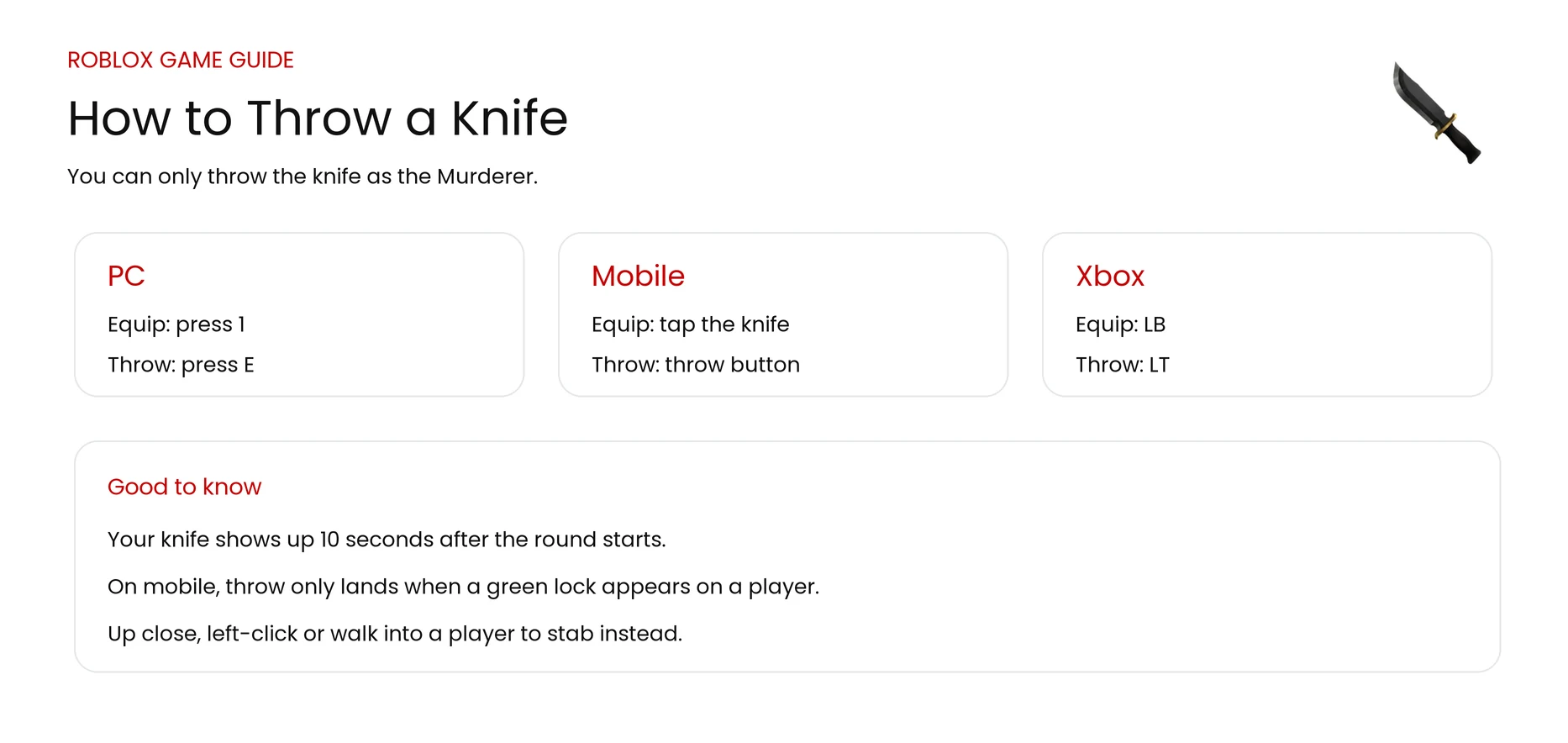
You can only throw a knife when you are the Murderer. First press 1 to equip the knife. Then throw it like this:
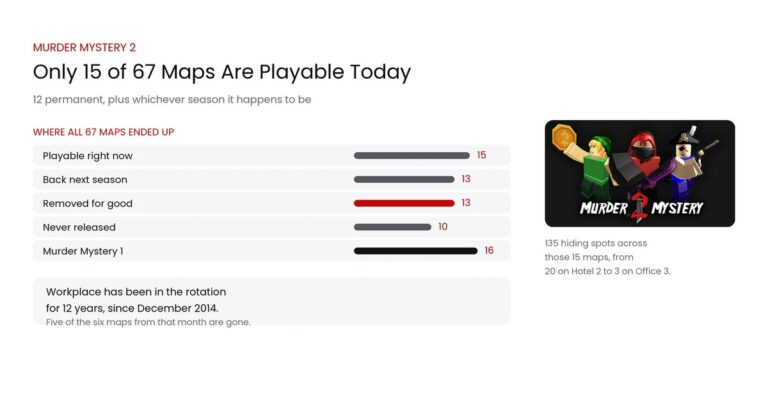
Landing a throw is easier on a small map. Our MM2 maps guide ranks all 15 playable maps by how many hiding spots they have, so you know what to vote for.
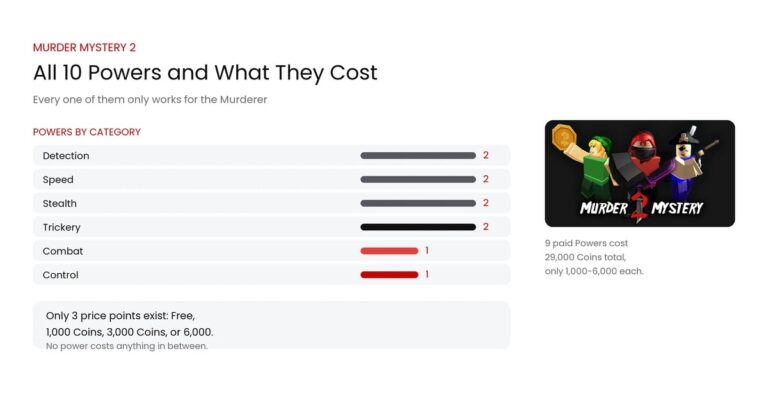
Throwing is only half the Murderer kit. Our MM2 Powers guide covers the 10 abilities you can buy to go with it, like Sleight for a faster throw.
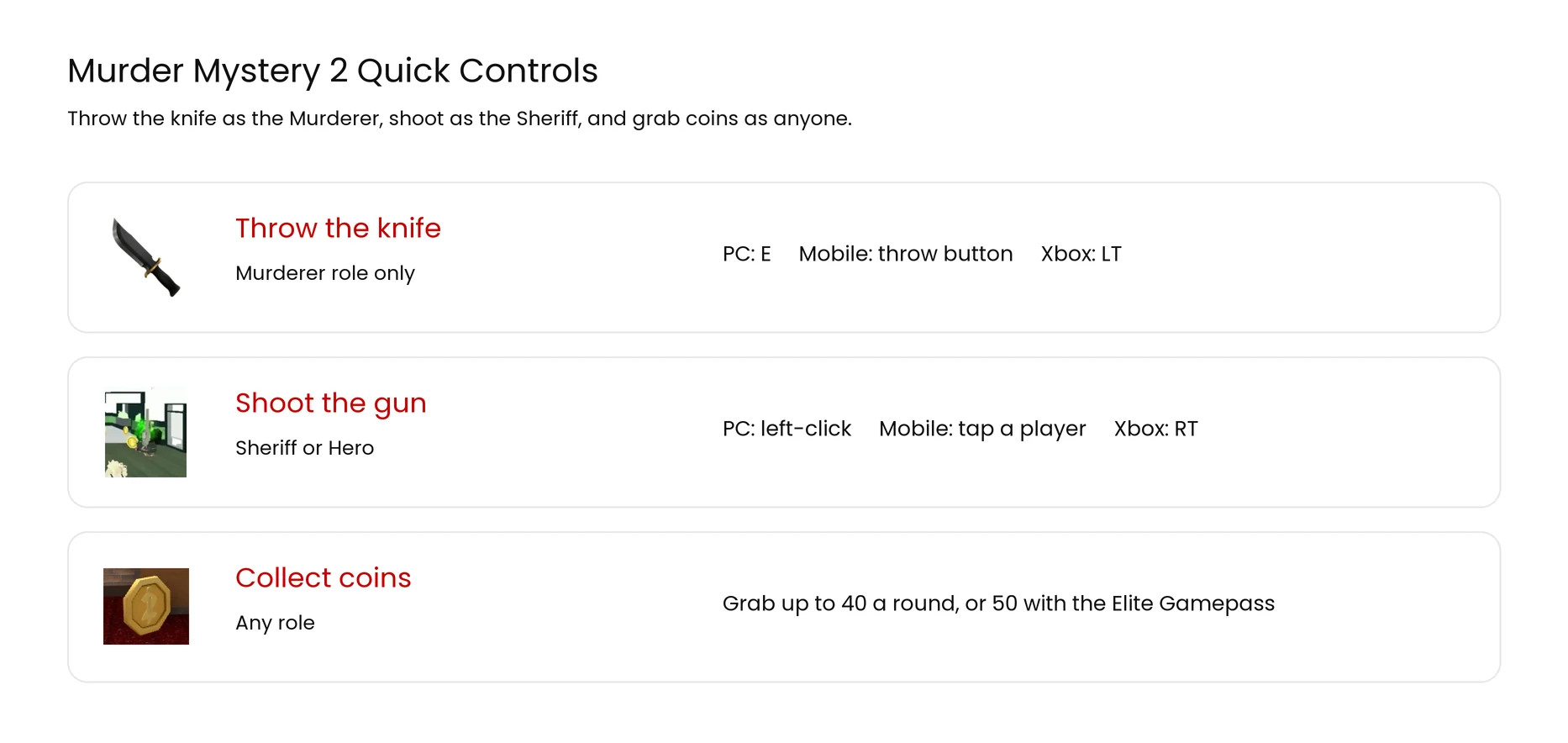
- PC: press E (you can also hold left-click or press right-click).
- Mobile: tap the throw button, then tap a player.
- Xbox or controller: press LT.
You Throw the Knife Only as the Murderer
Every round, the game gives each player one of four roles at random. Only the Murderer starts with a knife, so only the Murderer can throw one. Here is what each role does.
| Role | Weapon | Job |
|---|---|---|
| Murderer | Knife | Take out everyone without getting shot |
| Sheriff | Gun | Find the Murderer and shoot them |
| Innocent | None | Stay alive and help the Sheriff |
| Hero | Gun | An Innocent who picks up the dropped gun |
Your chance to be the Murderer goes up a little every round you are not picked. When you do become the Murderer, your knife shows up about 10 seconds after the round starts, not right away.
How to Throw a Knife on PC
On a computer, throwing the knife takes two quick steps.
- Press 1 to hold your knife.
- Press E to throw it at a player. Holding left-click or pressing right-click also throws it, so use whichever feels best.
Want to stab up close instead of throwing? Just left-click when you are next to a player. Stabbing is safer in tight spots, and a throw is better when someone is running away.
How to Throw a Knife on Mobile
On a phone or tablet, you use the buttons on the screen.
- Tap the knife at the bottom of the screen to hold it.
- Tap the throw button to load a throw. Wait for a green lock icon to pop up over a player.
- Tap that player while the green lock is showing to throw.
The throw only lands when the green lock is on. If it is not green yet, wait a second and try again. To stab up close, tap the screen or run right into a player.
How to Throw a Knife on Xbox or Controller
With an Xbox or a controller, the buttons are on the bumpers and triggers.
| Button | What it does |
|---|---|
| LB | Equip your knife |
| LT | Throw the knife |
| RT | Stab a player up close |
Aim your camera at the player first, then press LT to throw. This setup works on Xbox and on a PC using an Xbox controller over Bluetooth.
Tips for Landing Your Throw
A thrown knife can miss, so a few habits help a lot.
- Get close first. The knife flies straight, so a shorter throw is easier to hit.
- Aim ahead of runners. Throw where the player is going, not where they are now.
- On mobile, wait for the green lock. No green lock means the throw will miss.
- Save the throw for escapes. Stab in crowds, and throw when someone sprints for the door.
- Do not miss near the Sheriff. A wasted throw gives them time to shoot you.
How to Shoot as the Sheriff
If you get the Sheriff role, you hold a gun instead of a knife. Your job is to shoot the Murderer, so here is how to fire on each device.
| Platform | How to shoot |
|---|---|
| PC | Press 1 to hold the gun, aim with your mouse, then left-click |
| Mobile | Tap the gun to hold it, then tap the player you want to shoot |
| Xbox | Press LB to hold the gun, aim with the right stick, then press RT |
The gun reloads after every shot and is not very accurate, so it works best up close. If you shoot an Innocent by mistake, you both lose the round.
How to Get Coins
Coins are the main money in Murder Mystery 2. You spend them in the shop on boxes, pets, and effects. There is no gem or diamond money in the game, just coins.
Coins spawn around the map every round, and you pick them up by walking over them. You can grab up to 40 coins each round, or up to 50 if you own the Elite Gamepass.
Filling your coin bag also gives you a nice 900 XP bonus. So grabbing coins helps you level up and buy new knives at the same time.
How to Level Up and Prestige
You earn XP every round no matter which role you get. More XP means higher levels, and level 100 unlocks prestige. Here is how each role earns XP.
| Role | How you earn XP |
|---|---|
| Innocent | 5 XP per second alive, plus 900 for a full coin bag |
| Hero | 600 bonus XP for shooting the Murderer as an Innocent |
| Sheriff | 900 XP for shooting the Murderer, plus 320 per Innocent saved |
| Murderer | 700 XP for each Innocent you take out |
The Elite Gamepass and every win give a 1.5x XP boost. Once you hit level 100, the game offers you prestige.
Prestige resets your level back to 1 and adds a roman numeral next to your name, like I or II. You can prestige up to 10 times, and the top rank is Prestige X. It does not add any power, but it moves you higher on the player list and shows you have played a lot.
you cannot prestige on a phone. Switch your device to tablet mode first, then accept the prestige offer.
Murder Mystery 2 Controls Cheat Sheet
Here is every main control in one place so you can find it fast.
| Action | PC | Mobile | Xbox |
|---|---|---|---|
| Equip weapon | Press 1 | Tap the weapon | LB |
| Stab (knife) | Left-click | Tap or run into a player | RT |
| Throw (knife) | E | Throw button, then tap | LT |
| Shoot (gun) | Left-click | Tap a player | RT |
These controls are the ones Murder Mystery 2 uses now. The game adds new knives and events often, but the throw, stab, and shoot buttons stay the same, and we keep this guide current.
More Murder Mystery 2 Guides
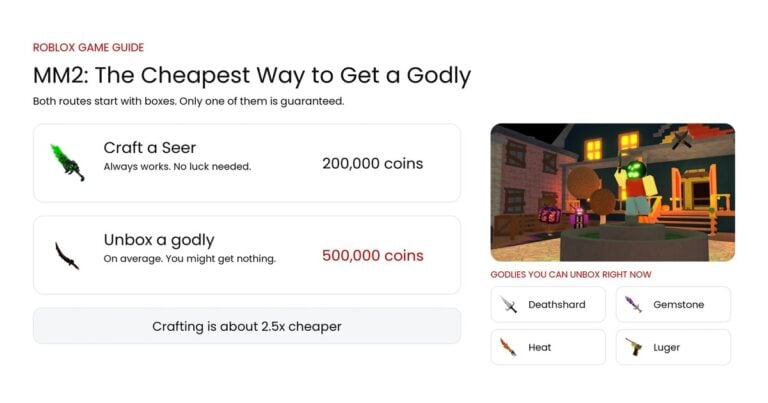
- Godly Knives: the box odds, and the cheapest guaranteed way to get one.
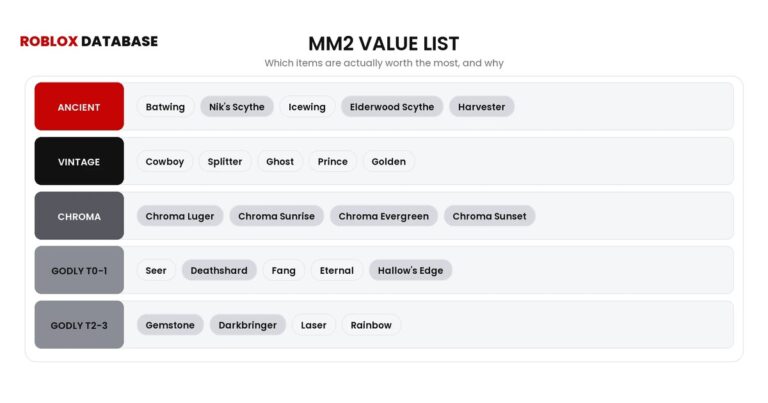
- Value List: what every knife and gun is worth for trading.
- Wiki: how the game works and the basics.
- Codes: free knives and rewards.
- Script: what is out there and what is safe.
Frequently Asked Questions
Quick answers from this guide.
01How do you throw a knife in Murder Mystery 2 on PC?
Press 1 to hold the knife, then press E to throw it. Holding left-click or pressing right-click also throws it.
02How do you throw a knife on mobile?
Tap the knife to hold it, tap the throw button, then tap a player once a green lock icon appears over them.
03Why can't I throw my knife?
You can only throw a knife as the Murderer, and your knife appears about 10 seconds after the round starts. If you are the Sheriff or an Innocent, you do not get a knife.
04How do you throw a knife on Xbox?
Press LB to hold the knife, aim your camera, then press LT to throw. Press RT to stab up close.
05How do you prestige in Murder Mystery 2?
Reach level 100 and the game offers prestige, which resets you to level 1 with a roman numeral by your name. Phone players must switch to tablet mode first.
06Does Murder Mystery 2 have codes?
Yes. Our MM2 codes page has the current working list of free rewards.
More guides
Keep going with these.
Leave a comment