Roblox Help Guide
Play Roblox in a Browser
“Can you play Roblox in a browser without downloading? Here is the honest answer.”
Last Updated: August 2026
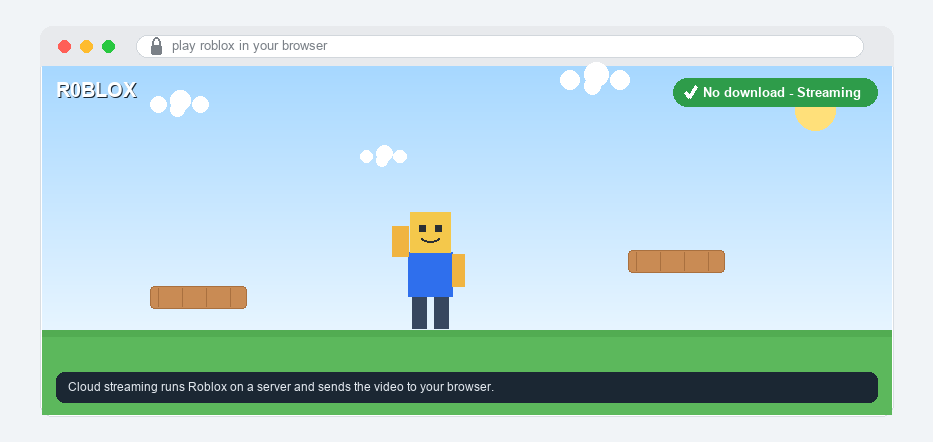
Lots of players want to jump straight into Roblox in a web browser, with no big download and no waiting. Maybe your storage is full, or you are on a school or family computer.
Here is the honest truth first: you cannot play Roblox games in a normal web browser anymore. A few years ago you could, but Roblox turned that off.
On a computer, the Roblox website opens fine in any browser, but to actually play a game you need the free Roblox app, which is a small, quick download.
The good news is there are still ways to play without installing anything, and some are perfectly safe while others are not.
Well, here is exactly how to play Roblox in a browser, the one real no-download option, and how to stay safe while you do it.
The Quick Answer
You cannot play Roblox games in a normal web browser anymore, because Roblox removed its old web player. On a computer you need the free Roblox app, which is a small, fast download. The one real way to play without downloading is a cloud gaming service (like now.gg) that runs Roblox on its own servers and streams it to your browser. On a Chromebook, phone, or tablet the app is tiny and installs in seconds. Be careful with any other “free, no-download Roblox” site, and only ever type your password on the official roblox.com.
Opening the website is not the same as playing
You can open roblox.com in any browser to look at games, visit the shop, and check your account. That part works great with no download. But when you press Play on a game, that is when you need the app (or a cloud service). So “Roblox works in my browser” and “I can play games in my browser” are two different things.
How to Play Roblox in a Browser
1
Know what actually works in a browser
Start with the real picture, so you do not waste time looking for a button that is not there.
– The Roblox website opens in any browser for browsing games, the shop, and your account
– Playing a game on a computer needs the free Roblox app; pressing Play installs or opens it
– There is no official “play in browser” button on a PC or Mac anymore, so the only no-install way to play is cloud streaming (below)
 The no-download options at a glance: a normal browser still needs the small free app, a cloud-gaming service can stream Roblox in your browser, the Chromebook and phone apps are tiny, and random “free, no-download” sites are risky.
2
Play in your browser with a cloud gaming service
Cloud gaming is the one real way to play Roblox in a browser without installing anything.
– A service such as now.gg runs Roblox on its own powerful servers and streams the video straight to your browser tab
– Nothing is saved on your device, so it works on almost anything with a browser and the internet
– You do need a decent connection (a fast, steady internet helps a lot), and it can have ads or feel a little laggy compared with the real app
3
Stay safe when you play on another website
This is the important part, because a cloud or third-party site asks you to sign in with your Roblox account.
– Only ever type your Roblox password on the official roblox.com; be careful signing in anywhere else, and ask a parent first
– Skip random “free, no-download Roblox” sites you find in videos or ads (Gamenora-style pages); many are not made by Roblox and can steal your account
– Curious about that name in particular? See our full breakdown of what Gamenora is and whether it is safe
– If a site ever asks for your password to give you “free Robux,” it is a scam; if you think your account was taken, here is how to recover a hacked account, and you can read more about staying safe on Roblox
4
On a Chromebook, get the small app from the store
Chromebooks cannot run the desktop player, but they can install the tiny Roblox app, which is the easiest fix.
– Open the Google Play Store on your Chromebook, search for Roblox, and tap Install
– It is a small app and only takes a moment, then you play like normal
– Full steps (including playing at school) are in our guide on how to play Roblox on a Chromebook
5
On a phone or tablet, the app is tiny
If a computer is the problem, a phone or tablet is often the quickest way to get playing.
– Get Roblox from the App Store (iPhone, iPad) or the Google Play Store (Android), which only takes a few taps
– The mobile app is small, updates itself, and plays the exact same games as the computer
– This counts as “without a big download,” because the app is light and installs fast
6
If the app will not open (and why there is no browser version)
Sometimes Play seems stuck, but a couple of quick fixes usually sort it out.
– Make sure your app is current; here is how to update Roblox, and if it still acts up, clear the Roblox cache
– Why is there no browser version? Web browsers stopped supporting the old plug-in tech Roblox used, so Roblox switched to a free app that runs faster and safer
– The app is free and safe straight from Roblox, so always get it from the official site or your device store, and ask a parent if you are not sure
Playing Roblox in a Browser FAQ
Can you play Roblox in a browser?
Not in a normal web browser anymore. Roblox removed its old web player, so on a computer you need the free app. The closest way to play in a browser is a cloud gaming service like now.gg, which streams Roblox to your browser.
How do you play Roblox without downloading?
Use a cloud gaming service (such as now.gg) that streams the game in your browser, so nothing installs on your device. On a Chromebook, phone, or tablet you can also use the app, which is tiny. On a regular PC or Mac browser, you cannot play without the app.
Why can’t I play Roblox in my browser?
Because modern browsers dropped the old plug-in technology Roblox used to run. Roblox switched to a free, dedicated app for better speed and safety, so clicking Play now installs or opens that app instead of running in the browser.
Is playing Roblox in a browser on now.gg safe?
now.gg is a well-known cloud gaming service, but it is not made by Roblox and you sign in there, so be careful and ask a parent first. Only ever type your Roblox password on the official roblox.com, and avoid random “free, no-download Roblox” sites, which can steal your account.
Is there an official Roblox browser version?
No. The Roblox website opens in any browser for browsing and shopping, but to play a game you need the free Roblox app, or a cloud-streaming service. There is no official in-browser player on a PC or Mac.
Do I need to download Roblox to play with friends?
On a computer, yes, but it is only a small free app. On a Chromebook, phone, or tablet the app is tiny. Cloud streaming lets you join without installing, but the official app is the smoothest and safest way to play.
The bottom line
You cannot play Roblox games in a normal web browser anymore, because Roblox removed the old web player. On a computer you need the small free app, and the one real no-download option is a cloud gaming service like now.gg that streams Roblox to your browser. On a Chromebook, phone, or tablet the app is tiny and installs in seconds. Keep your account safe by only signing in on the official roblox.com, skip random “free, no-download” sites, and ask a parent if you are unsure. For the official setup steps, see Roblox’s own Help Center.