✅ Last Updated: August 2026 – Page reviewed and up to date.
Universal Tower Defense is a tower defense game on Roblox developed by Universal Tower Defense [UTD]. Summon units and fight off waves of enemies. Welcome to Universal Tower Defense. The game has racked up 99.8M+ visits on Roblox and keeps a steady active player base.
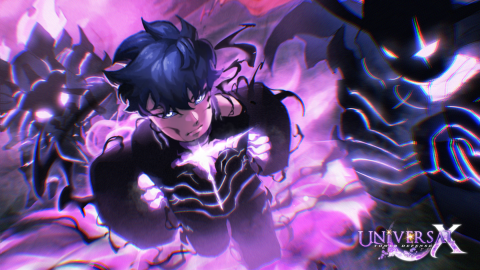
Universal Tower Defense Overview
| Game Name |
Universal Tower Defense |
| Developer |
Universal Tower Defense [UTD] |
| Genre |
Tower Defense |
| Total Visits |
99.8M+ |
| Favorites |
115K+ |
| Active Players |
29K+ peak |
| Update Schedule |
Regular updates |
How to Play Universal Tower Defense
- Open the lobby and pick a map and difficulty before the round starts.
- Place your first units at the tightest choke points before wave one begins.
- Earn currency from each cleared wave and reinvest it into your strongest units first.
- Unlock higher-tier units from the shop as your wave earnings accumulate.
- Progress to harder difficulties to access exclusive units and endgame rewards.
Universal Tower Defense Gameplay and Strategy
Tower placement matters more than unit rarity in Universal Tower Defense. A cheap unit at a tight choke point will outperform an expensive one placed off the enemy path. Study the map layout and find the two or three spots where enemies spend the most time in attack range before spending any currency.
Currency scales with difficulty, but being consistent matters more than chasing the biggest payout. A map you clear every time returns more per hour than a harder one you keep failing. Lock in a difficulty you can beat without losses, farm it to build your roster, then push to the next tier when your units are ready.
Late-game Universal Tower Defense is about farming specific maps for rare unit shards and summon currency. Figure out which maps drop the units you want and build your team around clearing those maps fast. Area-damage units stay useful longer than single-target ones as wave sizes get bigger.
Tips for New Universal Tower Defense Players
- Put tanky units at the first choke point and damage dealers farther back where they have the longest attack window.
- Save currency between waves rather than upgrading everything immediately. Larger upgrades often unlock unit abilities that change your strategy.
- Check the enemy type preview before placing units. Flying and armored enemies often require specific unit types to counter effectively.
- Farm the easiest map that still rewards event or rare currency. Overextending to harder maps before your roster is ready costs more in failed runs than it gains.
- Prioritize unlocking at least one area-damage unit early. Single-target damage falls off fast as wave density increases in later stages.
Universal Tower Defense FAQ
Is Universal Tower Defense free to play?
Yes. Universal Tower Defense is free to play on Roblox. Some cosmetic packs and premium units are available via Robux, but all core content is accessible without spending anything.
How do you unlock new units in Universal Tower Defense?
New units are unlocked through the in-game shop using currency earned from wave clears. Some limited units drop from specific maps or seasonal events.
Does Universal Tower Defense support mobile?
Yes. Universal Tower Defense runs on mobile via the Roblox app. Performance varies by device, but most current phones handle standard difficulty without issues.
How often does Universal Tower Defense update?
The developer updates Universal Tower Defense regularly with new maps, units, and events. Check the game page description for the most recent patch notes.
Can you play Universal Tower Defense solo?
Yes. Solo play is fully supported. Some harder difficulty modes are designed around co-op compositions, but most content is completable solo with the right unit setup.
Play Universal Tower Defense: https://www.roblox.com/games/133410800847665