Roblox Help Guide
Get Verified on Roblox
“From email and age checks to the blue verified badge.”
Last Updated: August 2026
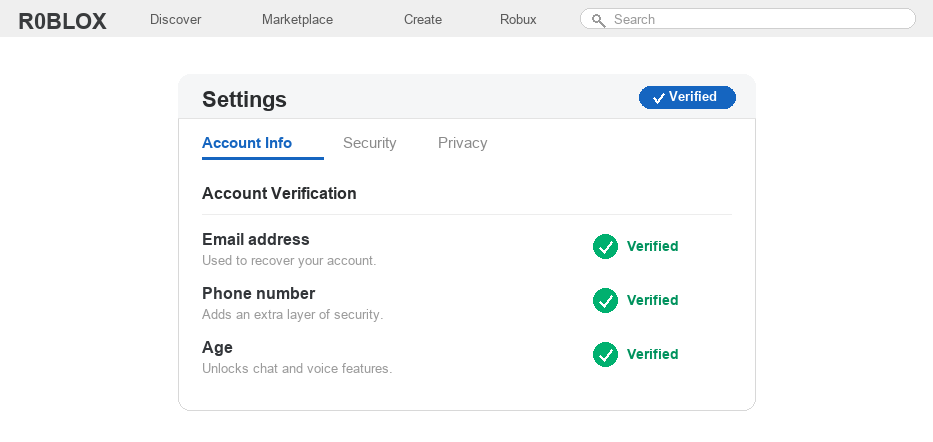
“Getting verified” on Roblox can mean a few different things, which is why this trips so many players up. It is worth knowing which one you actually need.
For most people it means verifying their email, phone, or age so the account is secure and chat features work. Since early 2026, age verification is the big one, because Roblox now gates communication behind it.
For a smaller group it means the blue verified badge, the little checkmark you see next to big creators and brands. That one has real requirements and is not handed out to everyone.
The good news is that the everyday verifications are quick, free, and fully self-serve from your account settings.
Well, figure out which kind you are after in the box below, then follow the matching steps.
Which Verification Do You Need?
- Email and phone – secures your account and helps you recover it. Anyone can do it in minutes.
- Age verification – unlocks chat and voice using an ID or a selfie. Anyone 13 or older can do it.
- The blue verified badge – limited. It needs ID, a verified phone, and two-step verification, and the notable-creator checkmark goes only to large accounts.
How to Verify Your Roblox Account
1
Verify your email address
This is the foundation, since a verified email is how you recover a locked account.
– Click the gear icon, open Settings, then Account Info
– Add your email address and save it
– Open the email from Roblox and click the verification link
2
Verify your phone number
A verified phone adds security and is required later if you want the verified badge.
– In Account Info, find the Phone section and enter your number
– Roblox texts you a code
– Type the code back in to confirm the number
3
Turn on two-step verification
Two-step verification protects your account and is a hard requirement for the verified badge.
– Open Settings then Security
– Turn on two-step verification and choose an authenticator app for the strongest option
– Save your backup codes somewhere safe
4
Verify your age to unlock chat
This is the verification most players are really after in 2026, since it unlocks communication features.
– In Settings, look under your birthday for Verify My Age and start the check
– Choose to scan your face with a selfie video, or upload a government ID
– Once approved, you can enable features like voice chat
5
Understand the blue verified badge
The blue checkmark is the part people misunderstand most, so here is the honest version.
– One path is the ID-based badge, which needs age verification, a verified phone, and two-step verification through an authenticator app
– The other is the notable-creator checkmark, reserved for large accounts and brands with major reach
– If you only play casually, the everyday verifications above are all you can realistically get, and that is completely normal
6
Wait for approval
Email, phone, and age checks are usually instant or take a few minutes. The verified badge review is slower.
– Badge requests can take anywhere from about one to six weeks
– Keep two-step verification on the whole time, since turning it off can cancel eligibility
If a verification step keeps failing, feel free to message us and we will help you work out why.
Getting Verified FAQ
What does verified mean on Roblox?
It can mean three things: a verified email or phone, a verified age that unlocks chat, or the blue verified badge. Most searches are about age verification or the badge.
How do I get the blue verified badge on Roblox?
You either complete the ID-based path (age verification, a verified phone, and two-step verification via an authenticator app) or you reach notable-creator status, which is reserved for very large accounts.
Is age verification required on Roblox now?
For chat and voice, yes. Since early 2026 you must verify your age to use most communication features, which is why so many players verify just to enable voice chat.
How long does Roblox verification take?
Email, phone, and age verification are usually quick, from instant to a few minutes. The verified badge review takes longer, often one to six weeks.
Can anyone get verified on Roblox?
Anyone can verify their email, phone, and age. The notable blue badge is different and is not available to most casual players, no matter how many steps they complete.
Is getting verified on Roblox safe?
Yes, as long as you only verify through the official Roblox website or app. Never enter your details or ID on third-party sites that promise a badge.
Want the official rules?
Roblox documents its requirements on its account verification page, and you can manage every check from Settings. If a step is missing, update the app, since these features are still rolling out by region.