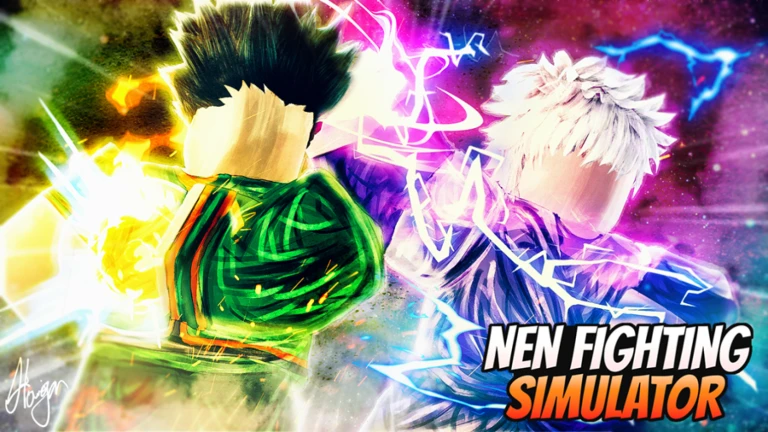
Nen Fighting Simulator Script
Nen Fighting Simulator is a fighting game where the difference between winning and losing comes down to timing, combos, and knowing when to strike. Going up against experienced players without the right tools makes it frustrating to climb. These scripts close that gap fast with Auto Farm, Pastebin - paste one in and you will notice the difference immediately.

 4 working scripts
loadstring(game:HttpGet('https://raw.githubusercontent.com/Ericd71/NenFightingSim/main/NenFightingSimGUI'))()Nen Fighting Simulator Scripts (Auto Farm, Pastebin & More)
To run any of these scripts you will need a working Roblox executor. Check out the list at that link for free and paid options that work in 2026.
Nen Fighting Simulator Script Auto Farm, Auto Strength, Auto Durability, Teleports
Nen Fighting Simulator Script Auto Farm, Auto Strength, Auto Durability, Teleports
loadstring(game:HttpGet('https://raw.githubusercontent.com/Ericd71/NenFightingSim/main/NenFightingSimGUI'))()Nen Fighting Simulator Script Pastebin2026 :
Nen Fighting Simulator Script Pastebin2026 :
loadstring(game:HttpGet("https://raw.githubusercontent.com/destylol/masterhubv311/itachi/Main.lua"))()Nen Fighting Simulator Script 3:
Nen Fighting Simulator Script Pastebin2026 :
while wait(0.1) do
local args = {
    [1] = "str",
}

game:GetService("ReplicatedStorage").Remotes.train:FireServer(unpack(args))

endNen Fighting Simulator Script 4:
Nen Fighting Simulator Script Pastebin2026 :
local CoreGui = game:GetService("StarterGui")

CoreGui:SetCore("SendNotification", {
    Title = "Script Made By",
    Text = "GhostPlayer",
    Icon = "rbxassetid://29819383",
    Duration = 2.5,
})

_G.Main = {}

function _G.Main:New(Title)

	local ScreenGui = Instance.new("ScreenGui")
	local Frame = Instance.new("Frame")
	local Frame_2 = Instance.new("Frame")
	local UIListLayout = Instance.new("UIListLayout")
	local TextLabel = Instance.new("TextLabel")

	ScreenGui.Parent = game.Players.LocalPlayer:WaitForChild("PlayerGui")
	ScreenGui.ResetOnSpawn = false

	Frame.Parent = ScreenGui
	Frame.BackgroundColor3 = Color3.fromRGB(25, 25, 25)
	Frame.BorderSizePixel = 1
	Frame.BorderColor3 = Color3.new(1,1,1)
	Frame.Position = UDim2.new(0.05382213, 0, 0.274487466, 0)
	Frame.Size = UDim2.new(0,200, 0,200)

	Frame_2.Parent = Frame
	Frame_2.BackgroundColor3 = Color3.new(0,0,0)
	Frame_2.BorderSizePixel = 0
	Frame_2.Position = UDim2.new(0.0624024495, 0, 0.145615742, 0)
	Frame_2.Size = UDim2.new(0,175, 0,150)

	UIListLayout.Parent = Frame_2
	UIListLayout.HorizontalAlignment = Enum.HorizontalAlignment.Center
	UIListLayout.SortOrder = Enum.SortOrder.LayoutOrder
	UIListLayout.Padding = UDim.new(0, 10)

	TextLabel.Parent = Frame
	TextLabel.BackgroundColor3 = Color3.fromRGB(255, 255, 255)
	TextLabel.BackgroundTransparency = 1.000
	TextLabel.LayoutOrder = 3
	TextLabel.Position = UDim2.new(0.152442604, 0, 0.0205405708, 0)
	TextLabel.Size = UDim2.new(0,150, 0, 20)
	TextLabel.ZIndex = 1
	TextLabel.Font = Enum.Font.GothamBold
	TextLabel.Text = Title
	TextLabel.TextColor3 = Color3.fromRGB(232, 232, 232)
	TextLabel.TextScaled = true
	TextLabel.TextSize = 14.000
	TextLabel.TextWrapped = true

	local function MVMBOL_fake_script()
		local script = Instance.new('LocalScript', Frame)

		script.Parent.Active = true
		script.Parent.Draggable = true
	end
	coroutine.wrap(MVMBOL_fake_script)()

	_G.Frame = {}

	function _G.Frame:Button(Name,Call)

		local TextButton = Instance.new("TextButton")

		TextButton.Parent = Frame_2
		TextButton.BackgroundColor3 = Color3.new(0,0,0)
		TextButton.BorderSizePixel = 1
		TextButton.BorderColor3 = Color3.new(1,1,1)
		TextButton.Size = UDim2.new(0,80, 0,20)
		TextButton.Font = Enum.Font.SourceSansBold
		TextButton.Text = Name
		TextButton.TextColor3 = Color3.new(1,1,1)
		TextButton.TextScaled = true
		TextButton.TextSize = 12.000
		TextButton.TextWrapped = true

		TextButton.MouseButton1Click:Connect(function()

			pcall(Call)

		end)

	end

	return _G.Frame

end


local Frame1 = _G.Main:New("Nen Fighting Simulator")

Frame1:Button("Auto Strength",function()
	print("Hello")
	------Auto Strength
getgenv().autostr = true
while getgenv().autostr == true do
local args = {
[1] = "str"
}
game:GetService("ReplicatedStorage").Remotes.train:FireServer(unpack(args))
wait(0.1)
end

end)

Frame1:Button("Auto Agility",function()
	print("Hello 2")
	------Auto Agility
getgenv().autoagi = true
while getgenv().autoagi == true do
local args = {
[1] = "agi"
}
game:GetService("ReplicatedStorage").Remotes.train:FireServer(unpack(args))
wait(0.1)
end
end)

Frame1:Button("Auto Durability",function()
	print("Hello")
	------Auto Durability
getgenv().autodura = true
while getgenv().autodura == true do
local args = {
[1] = "dur"
}
game:GetService("ReplicatedStorage").Remotes.train:FireServer(unpack(args))
wait(0.1)
end
end)

Frame1:Button("Auto Nen",function()
	print("Hello")
	-----Auto Nen
getgenv().autonen = true
while getgenv().autonen == true do
local args = {
[1] = "nen"
}
game:GetService("ReplicatedStorage").Remotes.train:FireServer(unpack(args))
wait(0.1)
end
end)

Frame1:Button("Disable Auto",function()
	print("Hello")
	getgenv().autostr = false
getgenv().autodura = false
getgenv().autoagi = false
getgenv().autonen = false
end)

return _G.MainHow to Use the Nen Fighting Simulator Script
Copy a script from the list above first, then follow these in order.
- 01
Get a working executor - see our Roblox Executor list for free options on PC, Mobile, and Mac.
- 02
Launch Roblox and open Nen Fighting Simulator.
- 03
Open your executor, then click Inject or Attach.
- 04
Copy any script above and paste it into the executor script box.
- 05
Press Execute - the GUI will appear in-game.
- 06
Toggle Auto Farm, Speed Hack, ESP and other features from the GUI menu.
- 07
Always use an alt account to protect your main.
About The Nen Fighting Simulator Script
Nen Fighting Simulator is a fighting game where winning comes down to timing, knowing your combos, and reading what the other player is going to do before they do it. Going up against skilled opponents without the right tools makes it hard to climb and stay competitive.
Kill aura and auto attack scripts are the most impactful here since they handle hitting automatically so you can focus on positioning and movement. Stack those with speed and god mode and you become very difficult to beat in any fight.
Use an alt account to avoid any bans on your main. The hub scripts above are updated after patches so they are the safest long-term option.
Looking for free rewards? Check out our Nen Fighting Simulator Codes page for every working code.
For everything outside the script side - character builds, zone unlocks, and what changed in the latest update - the Nen Fighting Simulator has it covered.
All scripts on this page are for educational purposes only. Using scripts in Roblox violates the Roblox Terms of Service and may result in your account being permanently banned or suspended without warning. RobloxDatabase.com is not responsible for any consequences from using these scripts. Always use an alt account - never your main.