+1 Speed Prison Escape Script
1 Speed Prison Escape is a cops and robbers game where staying on top comes down to reaction speed, good positioning, and knowing when to run. Getting caught or losing a chase against experienced players happens fast without the right tools. These scripts give you the edge with Auto Farm, Speed Hack, ESP, God Mode so every round goes the way you want it to.

 4 working scripts
loadstring(game:HttpGet("https://raw.githubusercontent.com/dark123212/Dark_Angel.hub/refs/heads/main/1%2B%20prison%20escape"))()1 Speed Prison Escape Scripts (Auto Collect, Pastebin & More)
To run any of these scripts you will need a working Roblox executor. Check out the list at that link for free and paid options that work in 2026.
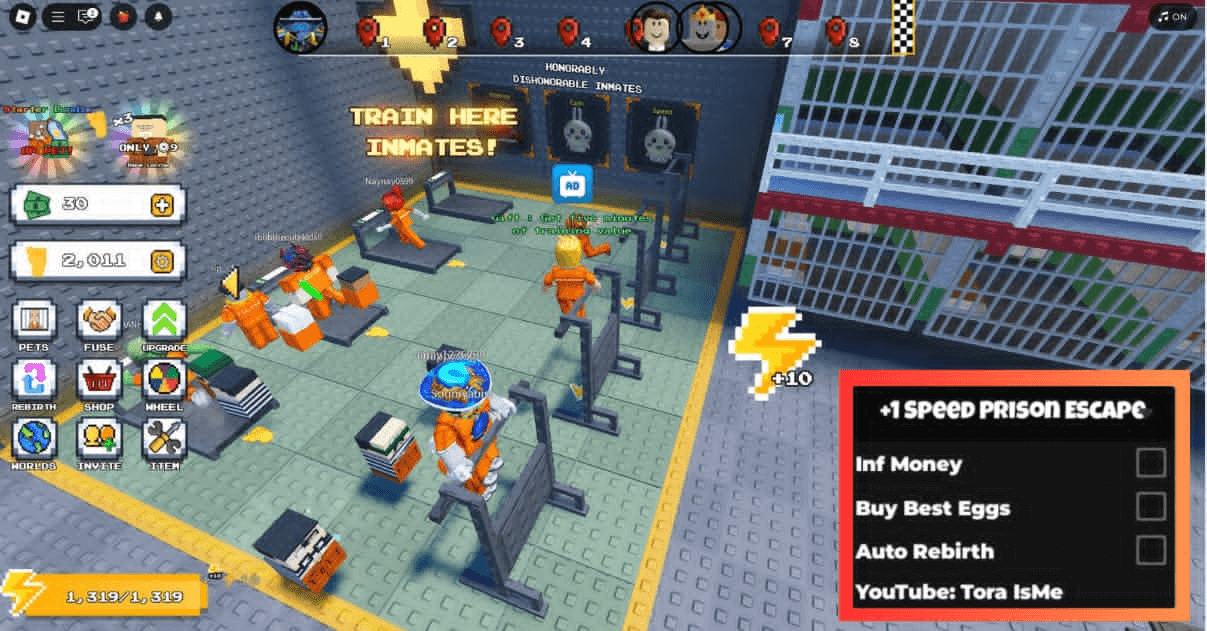
+1 Speed Prison Escape Script Auto Train, Auto Speed, Auto Win, Auto Rebirth, Open Best Eggs, Infinite Jump
+1 Speed Prison Escape Script Auto Train, Auto Speed, Auto Win, Auto Rebirth, Open Best Eggs, Infinite Jump
loadstring(game:HttpGet("https://raw.githubusercontent.com/dark123212/Dark_Angel.hub/refs/heads/main/1%2B%20prison%20escape"))()+1 Speed Prison Escape Infinite Money & Buy Best Egg Script:
+1 Speed Prison Escape Infinite Money & Buy Best Egg Script:
loadstring(game:HttpGet('https://raw.githubusercontent.com/gumanba/Scripts/refs/heads/main/SpeedPrisonEscape'))()+1 Speed Prison Escape Script Pastebin2026 :
+1 Speed Prison Escape Script Pastebin2026 :
local library = loadstring(game:HttpGetAsync("https://raw.githubusercontent.com/ShaddowScripts/Main/main/Library"))()

local Main = library:CreateWindow("[UPD] +1 Speed Prison Escape","Crimson")

local tab = Main:CreateTab("Cheats")

local UserInputService = game:GetService("UserInputService")
local Players = game:GetService("Players")
local RunService = game:GetService("RunService")

local player = Players.LocalPlayer
local character = player.Character or player.CharacterAdded:Wait()
local humanoid = character:WaitForChild("Humanoid")

local isInfinityJumpEnabled = false
local jumpConnection = nil

-- Функция для включения Infinity Jump
local function enableInfinityJump()
    if jumpConnection then return end -- Если уже подключено, ничего не делаем

    jumpConnection = UserInputService.JumpRequest:Connect(function()
        if humanoid and humanoid.Health > 0 then
            humanoid:ChangeState(Enum.HumanoidStateType.Jumping)
        end
    end)
    print("Infinity Jump включен")
end

-- Функция для выключения Infinity Jump
local function disableInfinityJump()
    if jumpConnection then
        jumpConnection:Disconnect()
        jumpConnection = nil
    end
    print("Infinity Jump выключен")
end

-- Функция для переключения Infinity Jump
local function toggleInfinityJump(enabled)
    isInfinityJumpEnabled = enabled
    if enabled then
        enableInfinityJump()
    else
        disableInfinityJump()
    end
end

-- UI элемент (Toggle)
tab:CreateToggle("Infinity Jump", function(enabled)
    toggleInfinityJump(enabled)
end)

-- Обработчик добавления персонажа (на случай респавна)
player.CharacterAdded:Connect(function(char)
    character = char
    humanoid = character:FindFirstChild("Humanoid")
    if isInfinityJumpEnabled then
        enableInfinityJump()
    end
end)

-- Инициализация при старте
if character then
    humanoid = character:FindFirstChild("Humanoid")
end

local ReplicatedStorage = game:GetService("ReplicatedStorage")
local RunService = game:GetService("RunService")

-- Получаем RemoteFunction
local OpenEggFunction = ReplicatedStorage:WaitForChild("Remotes"):WaitForChild("RemoteFunctions"):WaitForChild("OpenEgg")

-- Настройки авто открытия яйца
local autoEggEnabled = false
local eggInterval = 0.1 -- Интервал между открытиями яиц (в секундах)
local lastEggTime = 0
local selectedEgg = "Summon1" -- Яйцо по умолчанию

-- Функция для включения/выключения авто открытия яйца
local function toggleAutoEgg(enabled)
    autoEggEnabled = enabled
    if autoEggEnabled then
        print("Авто открытие яиц включено")
    else
        print("Авто открытие яиц выключено")
    end
end

-- Функция для выбора яйца
local function selectEgg(eggName)
    selectedEgg = eggName
    print("Выбрано яйцо: " .. eggName)
end

-- UI элемент (Dropdown)
tab:CreateDropdown("Choose Egg", {"Summon1", "Summon2", "Summon3"}, function(eggName)
    selectEgg(eggName) -- Вызываем функцию при изменении Dropdown
end)

-- UI элемент (Toggle)
tab:CreateToggle("Auto Egg", function(enabled)
    toggleAutoEgg(enabled) -- Вызываем функцию при изменении Toggle
end)

-- Основной цикл
RunService.Heartbeat:Connect(function()
    if autoEggEnabled then
        -- Проверяем время с последнего открытия
        if tick() - lastEggTime >= eggInterval then
            lastEggTime = tick()

            -- Вызываем RemoteFunction OpenEgg
            local success, result = pcall(function()
                return OpenEggFunction:InvokeServer(selectedEgg)
            end)

            -- Обрабатываем результат
            if success then
                print("Яйцо открыто, результат: " .. tostring(result))
            else
                warn("Ошибка при открытии яйца: " .. tostring(result))
                toggleAutoEgg(false) -- Отключаем автооткрытие при ошибке
            end
        end
    end
end)

local DupeEnabled = false  -- Изначально выключен

-- Функция для запуска скрипта
local function startDupe()
    spawn(function()
        while DupeEnabled do
            -- Проверяем, жив ли еще персонаж
            if not game.Players.LocalPlayer.Character or not game.Players.LocalPlayer.Character:FindFirstChild("HumanoidRootPart") then
                wait(1) -- Ждем, пока персонаж появится
            else
                game.Players.LocalPlayer.Character.HumanoidRootPart.CFrame = workspace.Chechpoint_Texts.Start.CFrame
                wait(0.1)
                for i, v in pairs(workspace.Mainbuild.Levels.Finish.FinishBeams:GetChildren()) do
                    if v:IsA("BasePart") then
                        game.Players.LocalPlayer.Character.HumanoidRootPart.CFrame = v.CFrame
                        wait(0.05)
                    end
                end
                wait(0.5)
            end
        end
    end)
end

-- Функция, которая будет вызываться при изменении Toggle
local function onToggleChanged(newValue)
    DupeEnabled = newValue
    if DupeEnabled then
        print("Dupe скрипт включен")
        startDupe()  -- Запускаем, только если включаем
    else
        print("Dupe скрипт выключен")
        -- Ничего не делаем, цикл сам остановится
    end
end

-- Создаем Toggle
tab:CreateToggle("Dupe Wins", function(a)
    onToggleChanged(a)
end)

print("Dupe скрипт загружен, используйте Toggle для управления.")

local ReplicatedStorage = game:GetService("ReplicatedStorage")
local RunService = game:GetService("RunService")

-- Получаем RemoteFunction
local EquipBestFunction = ReplicatedStorage:WaitForChild("Remotes"):WaitForChild("RemoteFunctions"):WaitForChild("EquipBest")

-- Настройки авто экипировки
local autoEquipEnabled = false
local equipInterval = 0.1 -- Интервал между экипировками (в секундах)
local lastEquipTime = 0

-- Функция для включения/выключения авто экипировки
local function toggleAutoEquip(enabled)
    autoEquipEnabled = enabled
    if autoEquipEnabled then
        print("Авто экипировка включена")
    else
        print("Авто экипировка выключена")
    end
end

-- UI элемент (Toggle)
tab:CreateToggle("Auto Equip Best", function(enabled)
    toggleAutoEquip(enabled) -- Вызываем функцию при изменении Toggle
end)

-- Основной цикл
RunService.Heartbeat:Connect(function()
    if autoEquipEnabled then
        -- Проверяем время с последней экипировки
        if tick() - lastEquipTime >= equipInterval then
            lastEquipTime = tick()

            -- Вызываем RemoteFunction EquipBest
            local success, result = pcall(function()
                return EquipBestFunction:InvokeServer()
            end)

            -- Обрабатываем результат
            if success then
                print("Лучший предмет экипирован, результат: " .. tostring(result))
            else
                warn("Ошибка при экипировке лучшего предмета: " .. tostring(result))
            end
        end
    end
end)

tab:Show()+1 Speed Prison Escape Defyz Auto Farm Script (Scrambled) (Pastebin)
No key box, but scrambled
loadstring(game:HttpGet("https://pastebin.com/raw/yGqHKcPt"))()How to Use the 1 Speed Prison Escape Script
Copy a script from the list above first, then follow these in order.
- 01
Get a working executor – see our Roblox Executor list for free options on PC, Mobile, and Mac.
- 02
Launch Roblox and open 1 Speed Prison Escape.
- 03
Open your executor, then click Inject or Attach.
- 04
Copy any script above and paste it into the executor script box.
- 05
Press Execute - the GUI will appear in-game.
- 06
Toggle Auto Farm, Speed Hack, ESP and other features from the GUI menu.
- 07
Always use an alt account to protect your main.
About The 1 Speed Prison Escape Script
1 Speed Prison Escape is a cops and robbers game where the rounds are fast and the outcome usually comes down to who reacts faster and knows the map better. New players get caught or outrun constantly until they build up enough experience to compete.
These scripts close that gap fast with ESP and speed tools that let you see where everyone is and move quicker than players going in without any advantage. Most of the options in the list are keyless and load immediately.
Use an alt account to run these safely and keep your main protected. Check back here after updates since movement and detection mechanics can change between patches.
The +1 Speed Prison Escape Wiki covers the full map layout, ability tiers, and patch history if you want to dig into the mechanics beyond what the script handles.
All scripts on this page are for educational purposes only. Using scripts in Roblox violates the Roblox Terms of Service and may result in your account being permanently banned or suspended without warning. RobloxDatabase.com is not responsible for any consequences from using these scripts. Always use an alt account - never your main.