Visual Pianos
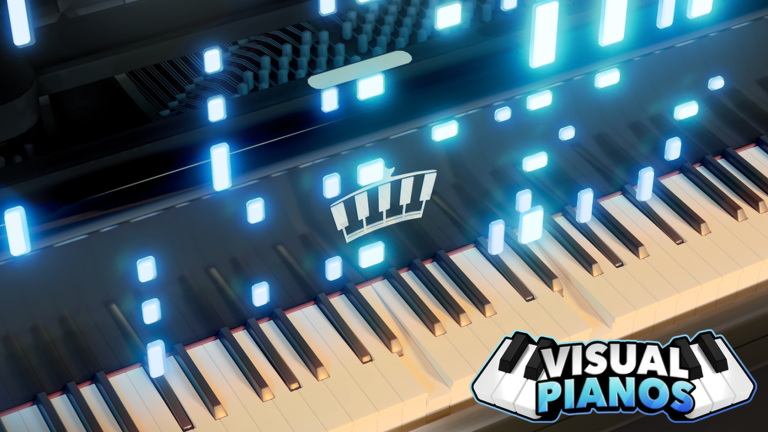
Visual Pianos is a room full of pianos. You sit at one and play, either with your own keyboard or with a real instrument plugged into your computer. Your notes fall down the screen as glowing trails, and up to 24 other people in the room hear every one of them.

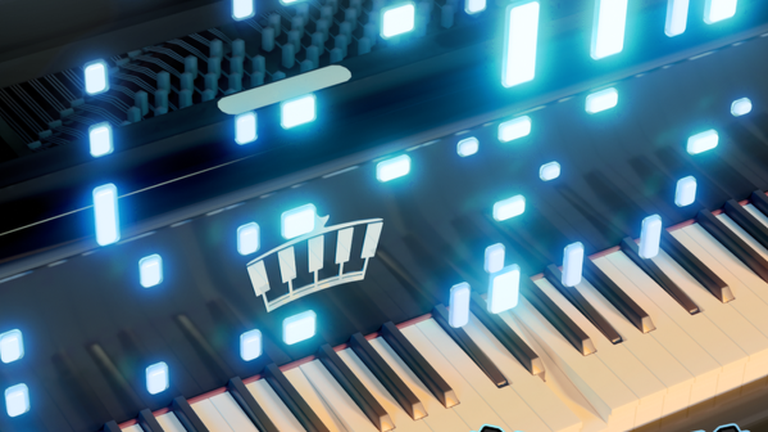
Free autoplay, a hidden hunt with eight finds, and two names this game used to have.
It opened in August 2020 and has passed 61 million visits. This page has the free autoplay command, the eight secrets hidden under the music, the shop item that costs more than any other, and the two names this game carried before this one.
How to Play Visual Pianos
Nothing here scores you and nothing here is a race. You sit down, you make noise, and other people either listen or carry on with their own.
- 01
Sit down at a piano. There are plenty around the room and you do not have to wait for one.
- 02
Play with your keyboard. The letter and number keys are the notes, same as most piano games.
- 03
Plug in a real keyboard if you have one. A MIDI instrument connected to your computer plays this game directly.
- 04
Pick your sound. There are over 200 to choose from and you can stack four of them together.
- 05
Load a sheet if you cannot play by ear. Sheets are the text versions of songs that players pass around.
- 06
Use the free autoplay command when you want the game to play the sheet for you.
- 07
Go wandering between songs. Most of the badges here come from finding things, not from playing well.
The one thing worth learning early is the difference between a sheet and a MIDI file. A sheet is text that this game reads and can play for you free. A MIDI file is a music file your computer knows, and the game does not read those on its own.
Visual Pianos Gameplay: A Hidden Hunt Under the Music
This looks like a game with nothing to chase, and that is wrong. There are eleven badges, and seven of the ones you can still get are secrets.
The game page barely mentions them. All it says is that there are more secrets to find, and then leaves you to it.
| Secret badge | Players who have it | What the game says about it |
|---|---|---|
| Welcome to Visual Pianos | 16,420,510 | Not a secret. You get it for turning up. |
| Musical Staff | 231,052 | Met a developer. That many people is unusual and says the studio is in there. |
| Piscine Pioneer | 4,604 | Fished around and found out. There is fishing in a piano game. |
| Space Sailor | 4,252 | You really went to space, boy. |
| VestigiaI Vines | 2,900 | Discovered an underground passage. |
| Floral Forager | 1,245 | The greatest botanist that has ever lived. |
| Koi Keeper | 477 | Earned a friend with a gentle hand. |
| 24 Karat Carrot | 152 | Looted a gilded root. Around 1 in 108,000 of everyone who joined. |
Read those descriptions and a strange picture appears. Fishing, space, an underground passage, plants, a koi and a gold carrot, all inside a piano room.
The gold carrot is the one to aim at. It has been found 152 times since March 2024, which is about one player in 108,000 of everyone who has walked in.
Three more badges exist that you can no longer get. They were Halloween and Christmas events in 2024 and 2025, and between them fewer than 3,200 players hold them.
One more is worth a look. Meeting a developer earns you a badge, and 231,000 players have it, so the people who built this place are in it a lot.

Autoplay Is Free, and the Game Marks You For It
Most piano games treat autoplay as something to catch you doing. This one gives it away with a chat command, and prints the command on its own page.
For nearly two years the game even carried the words free auto in its name on Roblox, so nobody could miss it.
There is a catch, and it is a fair one. When you autoplay, the game puts a tag on you so the room can see the music is not coming from your hands.
The most expensive thing in the shop, at 499 Robux, hides that tag. So the studio decided autoplay is fine, decided the room should know, and then sold the privacy.
The Shop
| What the shop sells | Price |
|---|---|
| Hide Autotag, which hides the mark autoplay puts on you | 499 Robux |
| VIP | 299 Robux |
| More save slots for your music | 299 Robux |
| Double notes | 249 Robux |
| Rainbow note trails | 199 Robux |
| A chair | 99 Robux |
Six passes and 1,644 Robux for all of them, which is small. None of it makes you play better, and the free command is the thing most people came for anyway.
The 99 Robux one is worth a smile. It is a chair. You can sit in a game where you are already sitting at a piano.
Two Older Names and Two Months Missing
| What the game page said | When | What it marks |
|---|---|---|
| Virtual Piano Visualizations 2.0 | September 2020 | The first name, one month after it opened |
| Piano Visualizations 2 | May 2021 onward | The name it kept for three and a half years |
| Content Deleted | March to May 2022 | Roughly two months where the page was not showing the game at all |
| Free auto in the name itself | March 2024 to November 2025 | Nearly two years advertising free autoplay on the title |
| Visual Pianos | From December 2024 | The current name, and by far the most seen version of the page |
The name has moved twice. It started as a sequel with a long title, spent three and a half years as Piano Visualizations 2, and became Visual Pianos in December 2024.
The gap in spring 2022 is the odd part. For about two months the page did not show the game, and it came back afterwards with nothing said about it.
There is a matching story in the rooms. Thirteen places sit under this game, and two of them are old builds named with dates, one from before a rebuild and one from after.
Those two dates put a full rebuild on 15 February 2021. A third is named after a developer redoing everything for the third time, which tells you how this game got here.
Tips for New Visual Pianos Players
Learn the autoplay command first. It is free, and it is the thing people pay for in other games.
Expect the tag when you use it. Nobody here minds much, and the room seeing it is the point.
Try stacking sounds. Four instruments at once turns a plain song into something worth listening to.
Plug in a real keyboard if you own one. It works, and it is much easier than the letter keys.
Go looking between songs. Seven of the badges come from finding things around the room, not from playing.
Skip the shop at first. Nothing in it helps you play, and the free command covers the big one.
Visual Pianos FAQ
Quick answers about Visual Pianos.
01Can the game play a song for me?
Yes, free. A short chat command plays your sheet music, and the game page tells you what to type.
02Will other people know I used it?
Yes. The game puts a tag on you while it plays, and the only way to hide that is a 499 Robux pass.
03Can I use a real piano keyboard?
Yes. A MIDI instrument plugged into your computer plays this game directly, and phones and tablets work too.
04What is the rarest badge?
A gold carrot, held by 152 players. That is about one in 108,000 of everyone who has ever joined.
05Are there any codes?
No, and there never have been. Our Visual Pianos codes page has the free things instead.
06Is there a script worth using?
One, and it plays MIDI files, which the free command cannot. Our Visual Pianos script page has it.
07What was this game called before?
Piano Visualizations 2, from 2021 until December 2024. Before that it had a longer name with a 2.0 on the end.
08How many instruments are there?
Over 200, which the game page calls the largest set on Roblox, and you can play four together.
About the Studio
Visual Piano Studios is a verified Roblox group with 25,034 members. It has one game, and this is it.
Six years on one game shows in the detail. The badge for meeting a developer sits at 231,000 holders, which means they are in the room rather than watching numbers.
If you like games built around making something with other people, we cover a few: Literally SPRUNKI, Rap Battles and Emote Catalog.