Tower Blitz Script
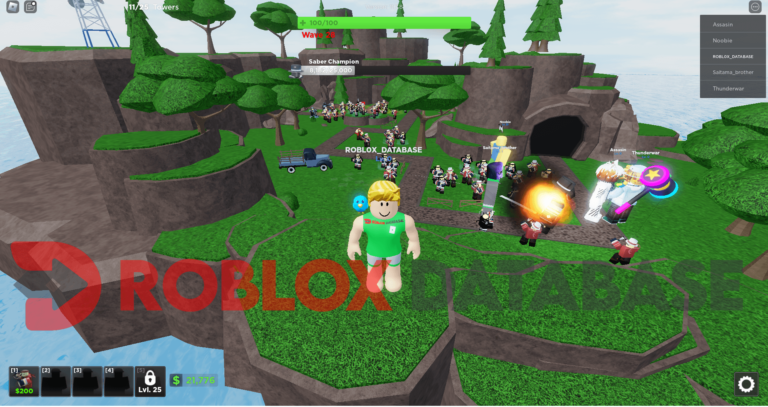
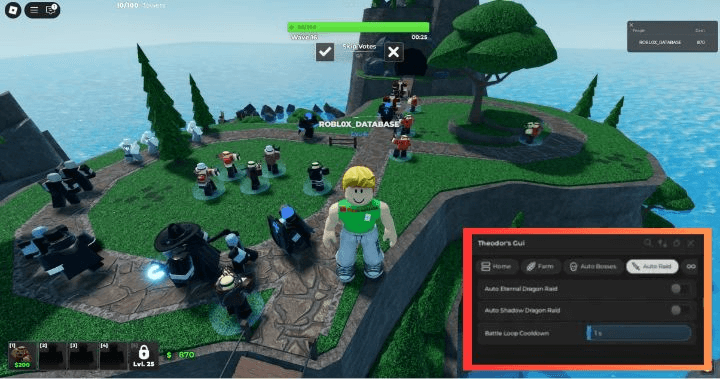
Tower Blitz is a tower defense game where the waves get harder fast and positioning your towers correctly requires both planning and resources you have to grind for. Later waves demand a level of optimization that is difficult to hit manually. These scripts make it manageable with Auto Farm, Speed Hack, ESP, God Mode so your defenses hold up without spending hours farming currency between rounds.

 1 working scripts
local ScreenGui = Instance.new("ScreenGui")
local Frame = Instance.new("Frame")
local upgrade = Instance.new("TextButton")
local towerspawn = Instance.new("TextButton")
local player = Instance.new("TextBox")
local tower = Instance.new("TextBox")
local credits = Instance.new("TextLabel")
ScreenGui.Parent = game.CoreGui
Frame.Parent = ScreenGui
Frame.BackgroundColor3 = Color3.new(1, 1, 1)
Frame.BackgroundTransparency = 0.5
Frame.BorderSizePixel = 3
Frame.Active = true
Frame.Draggable = true
Frame.Position = UDim2.new(0.295620441, 0, 0.234082401, 0)
Frame.Size = UDim2.new(0, 313, 0, 260)

upgrade.Name = "upgrade"
upgrade.Parent = Frame
upgrade.BackgroundColor3 = Color3.new(1, 1, 1)
upgrade.BackgroundTransparency = 0.5
upgrade.BorderSizePixel = 0
upgrade.Position = UDim2.new(0.0543131009, 0, 0.161538467, 0)
upgrade.Size = UDim2.new(0, 130, 0, 49)
upgrade.Font = Enum.Font.Cartoon
upgrade.FontSize = Enum.FontSize.Size14
upgrade.Text = "Upgrade Towers"
upgrade.TextSize = 14

towerspawn.Name = "towerspawn"
towerspawn.Parent = Frame
towerspawn.BackgroundColor3 = Color3.new(1, 1, 1)
towerspawn.BackgroundTransparency = 0.5
towerspawn.BorderSizePixel = 0
towerspawn.Position = UDim2.new(0.527156591, 0, 0.161538467, 0)
towerspawn.Size = UDim2.new(0, 130, 0, 49)
towerspawn.Font = Enum.Font.Cartoon
towerspawn.FontSize = Enum.FontSize.Size14
towerspawn.Text = "Spawn Tower"
towerspawn.TextSize = 14

player.Name = "player"
player.Parent = Frame
player.BackgroundColor3 = Color3.new(1, 1, 1)
player.BackgroundTransparency = 0.5
player.BorderSizePixel = 0
player.Position = UDim2.new(0.0750798732, 0, 0.424999982, 0)
player.Size = UDim2.new(0, 117, 0, 39)
player.Font = Enum.Font.Cartoon
player.FontSize = Enum.FontSize.Size14
player.Text = "Player Name"
player.TextSize = 14

tower.Name = "tower"
tower.Parent = Frame
tower.BackgroundColor3 = Color3.new(1, 1, 1)
tower.BackgroundTransparency = 0.5
tower.BorderSizePixel = 0
tower.Position = UDim2.new(0.546325862, 0, 0.424999982, 0)
tower.Size = UDim2.new(0, 117, 0, 39)
tower.Font = Enum.Font.Cartoon
tower.FontSize = Enum.FontSize.Size14
tower.Text = "Tower Name"
tower.TextSize = 14

credits.Name = "credits"
credits.Parent = Frame
credits.BackgroundColor3 = Color3.new(1, 1, 1)
credits.BackgroundTransparency = 1
credits.Position = UDim2.new(0.115015969, 0, 0.911538422, 0)
credits.Size = UDim2.new(0, 147, 0, 23)
credits.Font = Enum.Font.Cartoon
credits.FontSize = Enum.FontSize.Size14
credits.Text = "Made by Lau#0114 & Jethrootje#0289"
credits.TextSize = 14

towerspawn.MouseButton1Click:connect(function()
game.Workspace.PlacingTower:InvokeServer(tower.text, -25222220)
end)
upgrade.MouseButton1Click:connect(function()
local ws = workspace
local plr = game:GetService('Players')[player.Text]
for i,v in pairs(ws.Towers:GetChildren()) do
if v.Owner.Value == plr and v.Tower.UP1.Value < 4 then
repeat
workspace.HasEnough:InvokeServer('Cash',0)
workspace.Spend:InvokeServer(0)
workspace.UpgradeTower:InvokeServer(v.Name,0)
until v.Tower.UP1.Value >= 4
end
end
end)


local ScreenGui = Instance.new("ScreenGui")
local TextBox = Instance.new("TextBox")
ScreenGui.Parent = game.CoreGui
TextBox.Archivable = false
TextBox.Parent = ScreenGui
TextBox.BackgroundColor3 = Color3.new(1, 1, 1)
TextBox.BackgroundTransparency = 0.5
TextBox.BorderSizePixel = 3
TextBox.Draggable = true
TextBox.Position = UDim2.new(0.834854007, 0, 0.222868219, 0)
TextBox.Selectable = false
TextBox.Size = UDim2.new(0, 175, 0, 237)
TextBox.ClearTextOnFocus = false
TextBox.Font = Enum.Font.Cartoon
TextBox.FontSize = Enum.FontSize.Size14
TextBox.ShowNativeInput = false
TextBox.Text = "Scout 250\nSniper 450\nFragger 350\nShotgunner 400\nCryo-Gunner 200\nFarm 300\nSoldier 450\nTuber 850\nPatrol 400\nAviator 825\nFlamethrower 750\nCommando 1850\nCommander 600\nRailgunner 2450\nPhaser 3200\nScarecrow 300"
TextBox.TextSize = 14
TextBox:TweenPosition(UDim2.new(0.835,-100,0.5,-100), 'Out', 'Bounce', 1)Tower Blitz Scripts (Auto Farm, Pastebin & More)
To run any of these scripts you will need a working Roblox executor. Check out the list at that link for free and paid options that work in 2026.
Tower Blitz Script Pastebin2026 :
Tower Blitz Script Pastebin2026 :
local ScreenGui = Instance.new("ScreenGui")
local Frame = Instance.new("Frame")
local upgrade = Instance.new("TextButton")
local towerspawn = Instance.new("TextButton")
local player = Instance.new("TextBox")
local tower = Instance.new("TextBox")
local credits = Instance.new("TextLabel")
ScreenGui.Parent = game.CoreGui
Frame.Parent = ScreenGui
Frame.BackgroundColor3 = Color3.new(1, 1, 1)
Frame.BackgroundTransparency = 0.5
Frame.BorderSizePixel = 3
Frame.Active = true
Frame.Draggable = true
Frame.Position = UDim2.new(0.295620441, 0, 0.234082401, 0)
Frame.Size = UDim2.new(0, 313, 0, 260)

upgrade.Name = "upgrade"
upgrade.Parent = Frame
upgrade.BackgroundColor3 = Color3.new(1, 1, 1)
upgrade.BackgroundTransparency = 0.5
upgrade.BorderSizePixel = 0
upgrade.Position = UDim2.new(0.0543131009, 0, 0.161538467, 0)
upgrade.Size = UDim2.new(0, 130, 0, 49)
upgrade.Font = Enum.Font.Cartoon
upgrade.FontSize = Enum.FontSize.Size14
upgrade.Text = "Upgrade Towers"
upgrade.TextSize = 14

towerspawn.Name = "towerspawn"
towerspawn.Parent = Frame
towerspawn.BackgroundColor3 = Color3.new(1, 1, 1)
towerspawn.BackgroundTransparency = 0.5
towerspawn.BorderSizePixel = 0
towerspawn.Position = UDim2.new(0.527156591, 0, 0.161538467, 0)
towerspawn.Size = UDim2.new(0, 130, 0, 49)
towerspawn.Font = Enum.Font.Cartoon
towerspawn.FontSize = Enum.FontSize.Size14
towerspawn.Text = "Spawn Tower"
towerspawn.TextSize = 14

player.Name = "player"
player.Parent = Frame
player.BackgroundColor3 = Color3.new(1, 1, 1)
player.BackgroundTransparency = 0.5
player.BorderSizePixel = 0
player.Position = UDim2.new(0.0750798732, 0, 0.424999982, 0)
player.Size = UDim2.new(0, 117, 0, 39)
player.Font = Enum.Font.Cartoon
player.FontSize = Enum.FontSize.Size14
player.Text = "Player Name"
player.TextSize = 14

tower.Name = "tower"
tower.Parent = Frame
tower.BackgroundColor3 = Color3.new(1, 1, 1)
tower.BackgroundTransparency = 0.5
tower.BorderSizePixel = 0
tower.Position = UDim2.new(0.546325862, 0, 0.424999982, 0)
tower.Size = UDim2.new(0, 117, 0, 39)
tower.Font = Enum.Font.Cartoon
tower.FontSize = Enum.FontSize.Size14
tower.Text = "Tower Name"
tower.TextSize = 14

credits.Name = "credits"
credits.Parent = Frame
credits.BackgroundColor3 = Color3.new(1, 1, 1)
credits.BackgroundTransparency = 1
credits.Position = UDim2.new(0.115015969, 0, 0.911538422, 0)
credits.Size = UDim2.new(0, 147, 0, 23)
credits.Font = Enum.Font.Cartoon
credits.FontSize = Enum.FontSize.Size14
credits.Text = "Made by Lau#0114 & Jethrootje#0289"
credits.TextSize = 14

towerspawn.MouseButton1Click:connect(function()
game.Workspace.PlacingTower:InvokeServer(tower.text, -25222220)
end)
upgrade.MouseButton1Click:connect(function()
local ws = workspace
local plr = game:GetService('Players')[player.Text]
for i,v in pairs(ws.Towers:GetChildren()) do
if v.Owner.Value == plr and v.Tower.UP1.Value < 4 then
repeat
workspace.HasEnough:InvokeServer('Cash',0)
workspace.Spend:InvokeServer(0)
workspace.UpgradeTower:InvokeServer(v.Name,0)
until v.Tower.UP1.Value >= 4
end
end
end)


local ScreenGui = Instance.new("ScreenGui")
local TextBox = Instance.new("TextBox")
ScreenGui.Parent = game.CoreGui
TextBox.Archivable = false
TextBox.Parent = ScreenGui
TextBox.BackgroundColor3 = Color3.new(1, 1, 1)
TextBox.BackgroundTransparency = 0.5
TextBox.BorderSizePixel = 3
TextBox.Draggable = true
TextBox.Position = UDim2.new(0.834854007, 0, 0.222868219, 0)
TextBox.Selectable = false
TextBox.Size = UDim2.new(0, 175, 0, 237)
TextBox.ClearTextOnFocus = false
TextBox.Font = Enum.Font.Cartoon
TextBox.FontSize = Enum.FontSize.Size14
TextBox.ShowNativeInput = false
TextBox.Text = "Scout 250\nSniper 450\nFragger 350\nShotgunner 400\nCryo-Gunner 200\nFarm 300\nSoldier 450\nTuber 850\nPatrol 400\nAviator 825\nFlamethrower 750\nCommando 1850\nCommander 600\nRailgunner 2450\nPhaser 3200\nScarecrow 300"
TextBox.TextSize = 14
TextBox:TweenPosition(UDim2.new(0.835,-100,0.5,-100), 'Out', 'Bounce', 1)How to Use the Tower Blitz Script
Copy a script from the list above first, then follow these in order.
- 01
Get a working executor – see our Roblox Executor list for free options on PC, Mobile, and Mac.
- 02
Launch Roblox and open Tower Blitz.
- 03
Open your executor, then click Inject or Attach.
- 04
Copy any script above and paste it into the executor script box.
- 05
Press Execute - the GUI will appear in-game.
- 06
Toggle Auto Farm, Speed Hack, ESP and other features from the GUI menu.
- 07
Always use an alt account to protect your main.
About The Tower Blitz Script
Tower Blitz is a tower defense game where surviving the later waves requires having the right tower setup and enough currency to keep upgrading between rounds. Farming that currency manually across multiple sessions is the grind most players hit a wall with.
Auto farm scripts are the most useful here since they keep your resources climbing between rounds without manual input. Stack those with speed and god mode and the waves that used to wipe you become much more manageable.
Always use an alt account to avoid any bans on your main. The hubs in the list above push updates after game patches so they are your most reliable long-term option.
Looking for free rewards? Check out our Tower Blitz Codes page for every working code.
If you want a breakdown of Tower Blitz's mechanics, bosses, and milestones, the Tower Blitz covers all of it.
All scripts on this page are for educational purposes only. Using scripts in Roblox violates the Roblox Terms of Service and may result in your account being permanently banned or suspended without warning. RobloxDatabase.com is not responsible for any consequences from using these scripts. Always use an alt account - never your main.