Roblox Help Guide
Play Roblox on a Chromebook
“Install the app in minutes, or stream it right in your browser.”
Last Updated: August 2026
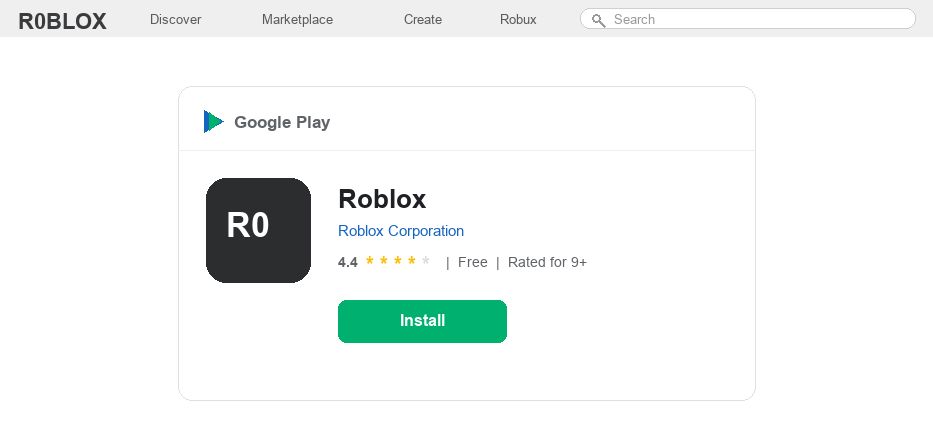
Good news for Chromebook owners: most modern Chromebooks can run Android apps, which means you can install Roblox straight from the Google Play Store, just like you would on a phone or tablet.
The whole setup usually takes only a couple of minutes. Once the app is installed, it updates itself and plays exactly like the mobile version.
A few Chromebooks, especially older models, do not have the Play Store at all. If that is your situation, you can still play by streaming Roblox in a browser through a cloud gaming service.
School Chromebooks are a different story, since they are managed by the school and Roblox is often blocked on purpose. We will cover that honestly near the end.
Well, let us start with the method that works for most people, then go through the alternatives.
The Quick Answer
Most Chromebooks can install Roblox from the Google Play Store in a minute or two. If your Chromebook has no Play Store, you can stream Roblox in a browser through a cloud gaming service instead. On a school-managed Chromebook, Roblox may be blocked by your administrator, and that is a setting only the school can change.
How to Get Roblox on a Chromebook
1
Check that your Chromebook supports the Play Store
Almost every Chromebook made since 2017 can run Android apps, but it is worth a quick check.
– Click the time in the bottom-right corner, then open Settings
– Look for “Google Play Store” or “Apps” in the menu
– If you see it, your Chromebook can install Roblox. If not, jump to the browser method below
2
Turn on the Google Play Store
If you have never used Android apps on your Chromebook, you may need to switch the Play Store on first.
– In Settings, find Google Play Store and click Turn on
– Read and accept the terms when prompted
– Sign in with your Google account if it asks
3
Install Roblox from the Play Store
Now you can grab the app like any other.
– Open the Google Play Store from your app drawer
– Search for Roblox and pick the official app by Roblox Corporation
– Click Install and wait for it to finish
4
Open Roblox and sign in
Launch Roblox from your shelf or app drawer and log in to start playing.
– Enter your username and password, or tap Sign Up if you are new
– Need a fresh username for a new account? Our Roblox username generator can spin up a cool one for you
– Pick a game and press play
5
No Play Store? Stream Roblox in your browser
If your Chromebook cannot install Android apps, you can play Roblox through a cloud gaming service that runs the game on remote servers and streams it to a browser tab.
– Open a service such as now.gg in the Chrome browser
– Search for Roblox and choose Play in Browser
– Log in to your Roblox account and play, with nothing to download or install
6
Playing on a school Chromebook
School Chromebooks are managed by the school district, and administrators often block games like Roblox and even the Play Store itself. That block is a policy choice, not a glitch on your end.
– If Roblox is blocked, the right move is to ask your school IT team whether it can be allowed
– Otherwise, save Roblox for a personal device or your own computer at home
Please respect your school rules here. Trying to force around an administrator block can get your account or device flagged, and it is not worth the risk.
Roblox on Chromebook FAQ
Can you play Roblox on a Chromebook?
Yes. Most Chromebooks can install the Roblox app from the Google Play Store, and the ones that cannot can still stream it in a browser through a cloud gaming service.
Why won’t Roblox install on my Chromebook?
Usually the Google Play Store is switched off or your Chromebook is too old to support Android apps. Turn the Play Store on in Settings and update Chrome OS, then try again.
How do I play Roblox without the Play Store?
Use a cloud gaming service that runs Roblox in your browser, so there is nothing to install. You just log in to your account and play in a Chrome tab.
Why is Roblox blocked on my school Chromebook?
Your school administrator has restricted it, which is common on managed school devices. You cannot change that setting yourself, so ask your school IT team or play on a personal device at home.
Does Roblox run well on a Chromebook?
On most modern Chromebooks it runs smoothly. On older or low-memory models you may want to lower the graphics quality inside Roblox for a steadier frame rate.
Is there an official Roblox version for the Chrome browser?
No. Roblox does not have its own browser version for Chrome OS, so the two ways to play are the Play Store app or a cloud gaming service that streams it.
Still stuck?
If Roblox will not install even with the Play Store on, make sure Chrome OS is fully updated and you have free storage. For device-specific help you can also contact Roblox Support directly.