✅ Last Tested: August 2026 | Scripts working.
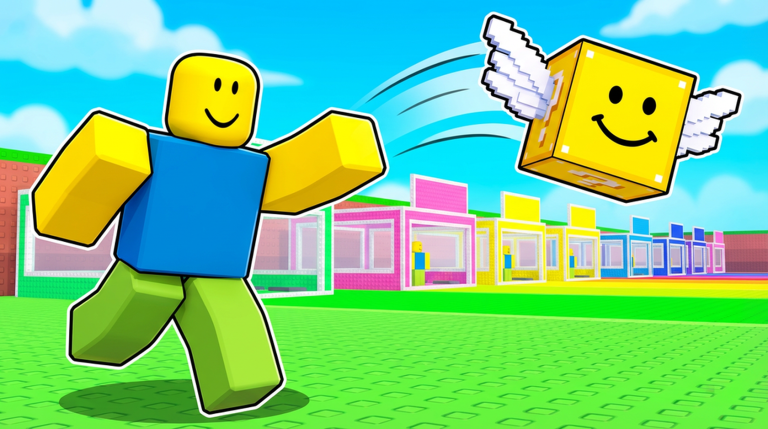
Throw Lucky Blocks for Brainrots is a Roblox throwing game where your Lucky Block is your whole fortune. You hurl it as far as your power allows, and the further it lands, the higher your luck and the better the brainrots inside. The catch is the guards, who chase you down and steal your block if you do not make it back to base.
A Throw Lucky Blocks for Brainrots script takes the grind out of that loop. The popular pick is keyless and handles auto throwing, instant pickup, auto rebirths, and auto upgrades for your throw power, all from one menu. Paste one in and the blocks fly themselves while your cash stacks up.
📜 Throw Lucky Blocks for Brainrots Scripts (Auto Throw, Instant Pickup, Auto Rebirth, Auto Upgrade & More)
Throw Lucky Blocks for Brainrots is a throwing and collecting game, so the scripts that matter are auto throw, instant pickup, and auto upgrades. Below are the working scripts for this game, with one keyless pick and one that runs on a free key. Grab a Roblox executor first, then paste the one you want.
Throw Lucky Blocks for Brainrots FartezHub Script (Keyless):
Script 1 KEYLESSFARTEZHUB SCRIPT
Auto ThrowInstant PickupAuto RebirthAuto Upgrade
loadstring(game:HttpGet("https://raw.githubusercontent.com/fartez127-design/FARTEZHUB/refs/heads/main/FARTEZ%20HUB%20X%20Throw%20Lucky%20Blocks%20for%20Brainrots!"))()
Select all text above, copy it, then paste into your executor.
Throw Lucky Blocks for Brainrots Auto Roll and Delete Script (Key System):
Script 2 KEY REQUIREDAUTO ROLL AND DELETE SCRIPT
Auto Roll LocationAuto Delete
loadstring(game:HttpGet('https://raw.githubusercontent.com/StitchAloha/Scripts/refs/heads/main/Throw%20Lucky%20Blocks%20for%20Brainrots!'))()
Select all text above, copy it, then paste into your executor.
This one needs a free key. Run it, then follow the key page it opens to copy the key and paste it in.
🎮 How to Use the Throw Lucky Blocks for Brainrots Script
2Open Throw Lucky Blocks for Brainrots on Roblox and spawn in at your base.
3Open your executor and attach it to Roblox.
4Copy the loadstring for the script you want. FartezHub is keyless, and Auto Roll and Delete asks for a free key.
5Paste it into the executor script box.
6Hit Execute. The menu opens so you can turn on auto throw, instant pickup, or auto upgrade.
7Flip the toggles on and let the script throw, collect, and rebirth while the cash stacks up.
Scripts stop working after big game updates. If one breaks, reload it or check back here for an updated version.
🎮 About The Throw Lucky Blocks for Brainrots Script
FartezHub is the main keyless pick for this game. It throws your Lucky Blocks on a loop, picks them up instantly so the guards never get a chance, collects your rewards, and handles rebirths and throw power upgrades on its own. You set the roll amount, flip the toggles, and the whole cycle runs hands-free.
Auto Roll and Delete is the second pick, and this one sits behind a free key. Execute the loadstring, follow the key page it opens, paste the key in, and you get auto rolling at your selected spot plus an auto delete for the junk you do not want to keep. Keep it as your backup if the keyless pick breaks after an update.
Always run scripts on an alt account so your main Roblox account stays safe. If a script stops working after a Throw Lucky Blocks for Brainrots update, reload it or check back here for a fresh one.
⚠️ Scripts violate the Roblox Terms of Service. Use an alt account to avoid risking your main. These scripts are for personal use only.