✅ Last Updated: August 2026 | Verified this week
Color or Die is a Roblox horror maze by the group BIGworks Games where the floor and walls are tagged with colors and only one color is safe at a time. A target color flashes on the HUD each round and you have a few seconds to sprint to a matching wall before the timer kills everyone standing on the wrong zones. A monster also patrols the maze, so reaching the right color is only half of staying alive, you also have to avoid getting caught while you cross the map.
The game launched in March 2023 and has crossed 1.26 billion visits with around 6,000 players online at any time and over 1.58 million favorites. Servers cap at 15 players for chaotic group rounds, and the game is split into chapters that each have their own maze layout and monster. This wiki covers how to play, color and maze strategy, tips for new players, and the most-asked questions, plus links to the codes and scripts pages at the bottom.
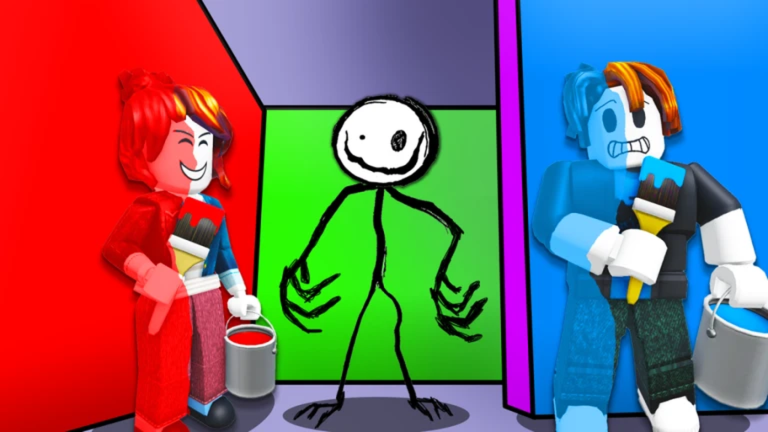
Color or Die Overview
| Color or Die Overview |
| Game Name |
Color or Die |
| Developer |
BIGworks Games |
| Genre |
Horror / Maze / Escape |
| Platform |
Roblox (PC, Mobile, Console) |
| Visits |
1.26B+ |
| Max Players |
15 |
| Release |
March 2023 |
How to Play Color or Die
- Spawn into the chapter lobby and pick a server. Smaller groups are easier for new players because the maze is less crowded.
- Read the target color shown at the top of the HUD every round. It tells you which colored wall is safe right now.
- Sprint to a wall of the matching color before the timer hits zero. Standing on any other color when the timer ends kills you.
- Avoid the monster patrolling the maze. Getting caught is an instant kill regardless of which color you are on.
- Survive every color round in the chapter and reach the exit door to clear the level.
- Unlock new chapters as you complete the earlier ones. Each one adds new colors, a new monster, and a new maze layout.
Color or Die Gameplay and Strategy
The smart way to play Color or Die is to treat it as two games stacked on top of each other. The front half is a color-matching reaction puzzle where the only goal is to be standing on the right color when the timer ends, and the back half is a horror-stealth game where the monster wants to catch you between rounds. New players almost always panic-run toward the nearest patch of the target color, which is fine on Chapter 1 but gets you killed on later chapters because the closest patch is sometimes a trap or right in the monster’s patrol path. A better default is to spend the early seconds scanning the maze, picking the safest wall of the right color, and only then committing to a sprint.
Memorizing maze layout matters more than reaction speed once you get past Chapter 1. Each chapter has a fixed set of colored walls in fixed locations, so the more rounds you play, the faster you can look at the HUD color and just turn in the right direction without thinking. Watching where the monster spawns and which corridors it tends to walk through is part of that map sense, since a fast sprint into a dead end with the monster behind you is the most common way good players still die. Premium Roblox players get a small +1 speed boost which helps a lot in the tight time windows, but the boost is not big enough to save bad routing.
Teamwork makes the harder chapters easier. In a full server of 15 players the monster can only chase one person at a time, so spreading out across different colored walls means most of the team survives even on the harder rounds. Calling out the target color in chat helps anyone who missed the HUD, and following players who have already cleared the chapter is a quick way to learn the safe corners. BIGworks Games updates the game with new chapters every few months, and each new chapter usually shakes up the color rules slightly, so even experienced players go back to learning mode when an update lands.
Tips for New Color or Die Players
- Always read the HUD before moving. The wrong color kills you faster than the monster does.
- Stay near the middle of a colored wall, not the edge. Wall edges sometimes count as the wrong color when the timer ends.
- Use Premium for the +1 speed. It only saves you a half-second per sprint but that half-second is the difference on later chapters.
- Pay attention to where the monster spawns. Its patrol path is the same every round, so plan your sprints to cross when it is on the far side of the maze.
- Stick with players who have completed the chapter before. They know the corner cuts and the safe colors at each spawn point.
- Finish Chapter 1 before you try harder chapters. The chapter unlock order also unlocks the skin pool, so each chapter clear gives you new cosmetics.
Color or Die FAQ
What kind of game is Color or Die?
Color or Die is a Roblox horror maze by BIGworks Games where a target color flashes on screen each round and you have to sprint to a wall of that color before the timer kills you. A monster also patrols the maze, so you have to dodge it while you find the right color. The game launched in March 2023.
Who made Color or Die?
Color or Die was made by the Roblox group BIGworks Games, a verified group that runs the game and updates it with new chapters and monsters every few months.
Is Color or Die free to play?
Yes, Color or Die is free to play on Roblox and works on PC, mobile, and console. Servers cap out at 15 players, and Roblox Premium members get a small +1 speed boost in-game.
How many chapters does Color or Die have?
Color or Die has multiple chapters and BIGworks Games keeps adding more in updates. Each chapter has its own maze layout, its own color set, and its own monster, and you unlock them in order by completing the previous one.
Are there codes for Color or Die?
There are no codes for Color or Die right now. The game does not have a Redeem Code box anywhere in the menus, and BIGworks Games has never released a code in the years the game has been live. Check the Color or Die Codes page for the live code tracker.
MORE FOR COLOR OR DIE
Looking for codes? Check the Color or Die Codes page for the latest code tracker.
Want an easier run? Head to Color or Die Scripts for Color Teleports, God Mode and Monster ESP.